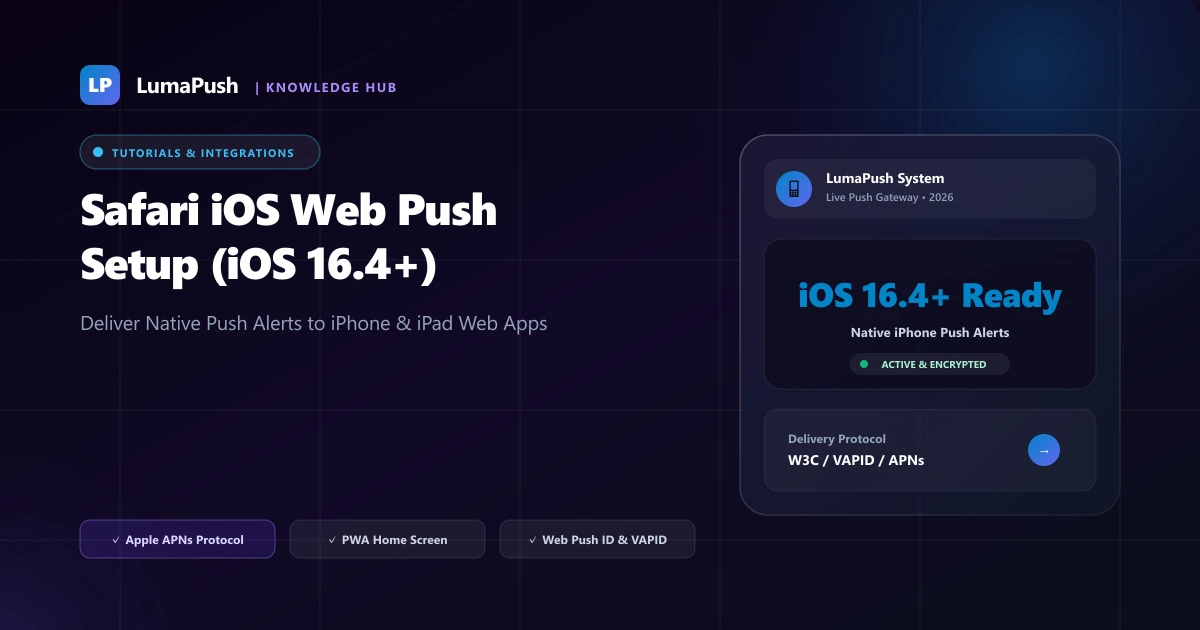
For years, the biggest limitation of web push technology was the lack of support on Apple iOS devices (iPhone and iPad). While Android users enjoyed native browser push notifications through Google Chrome since 2015, iOS users were left out unless businesses built, maintained, and published expensive native apps to the Apple App Store.
That all changed with Apple's release of iOS 16.4 and iPadOS 16.4. Apple introduced full native support for Web Push Notifications via the W3C Push API and Apple Push Notification service (APNs). Today, website owners and Progressive Web App (PWA) developers can deliver rich, instant push alerts directly to millions of iPhone and iPad users worldwide.
In this technical and strategic guide, we explain how iOS web push operates, examine Apple's Home Screen requirement, and provide a step-by-step tutorial to configure your website for seamless iPhone push notifications in 2026.
How Safari iOS Web Push Notifications Work
Apple's implementation of web push notifications adheres to open W3C web standards while maintaining Apple's strict privacy and user experience principles:
- Home Screen PWA Requirement: On iOS and iPadOS, the user must add the website to their device Home Screen (via the Safari Share button → "Add to Home Screen") before push permissions can be requested.
- User Gesture Requirement: Push permission prompts cannot be triggered automatically upon page load; they must be triggered by an explicit user tap (e.g., tapping a "Enable Alerts" button).
- Native APNs Routing: When permission is granted, iOS connects to Apple Push Notification service (APNs), generating a secure endpoint and token identical to native iOS applications.
- OS Notification Center Integration: Alerts appear directly on the iOS Lock Screen, Dynamic Island, and Notification Center with full sound and haptic vibration support.
Step-by-Step Implementation Guide for iOS Web Push
Step 1: Configure Your Web App Manifest
To enable "Add to Home Screen" functionality, ensure your website includes a valid manifest.json file in your HTML head:
{
  "name": "LumaPush Platform",
  "short_name": "LumaPush",
  "start_url": "/",
  "display": "standalone",
  "background_color": "#0F172A",
  "theme_color": "#673DE6",
  "icons": [
    {
      "src": "/icons/icon-192.png",
      "sizes": "192x192",
      "type": "image/png"
    },
    {
      "src": "/icons/icon-512.png",
      "sizes": "512x512",
      "type": "image/png"
    }
  ]
}
Step 2: Detect iOS and Prompt "Add to Home Screen"
Because iOS requires saving the site to the Home Screen, modern websites display a smart helper modal on Safari mobile instructing users to tap Share → Add to Home Screen.
Step 3: Register Service Worker and Request Permission
Once opened from the Home Screen, trigger the native permission prompt via a clean user action button:
// Requesting iOS Web Push Permission on user button click
async function enableIOSPush() {
  if ('serviceWorker' in navigator && 'PushManager' in window) {
    const reg = await navigator.serviceWorker.ready;
    const permission = await Notification.requestPermission();
    if (permission === 'granted') {
      const sub = await reg.pushManager.subscribe({
        userVisibleOnly: true,
        applicationServerKey: urlBase64ToUint8Array('YOUR_VAPID_PUBLIC_KEY')
      });
      // Sync with LumaPush API
      await fetch('/api/subscribe', {
        method: 'POST',
        headers: { 'Content-Type': 'application/json' },
        body: JSON.stringify(sub)
      });
    }
  }
}
iOS Web Push vs Native App Push: Cost Comparison
| Factor | iOS Web Push (PWA) | Native iOS App (App Store) |
|---|---|---|
| Development Cost | $0 (Uses existing website) | $15,000 – $50,000+ |
| Apple Developer Annual Fee | $0 (Standard VAPID) | $99 / year |
| App Store Review & Delays | None (Instant updates) | 1 to 5 days review per release |
| Lock Screen Delivery | Full Native APNs Support | Full Native APNs Support |
Discover how LumaPush provides built-in Safari iOS web push configuration out of the box with zero complex backend coding.
Best UX Practices for iOS Web Push Conversion
Because iOS requires users to first add your website to their Home Screen, optimizing the educational guidance is critical for high opt-in rates:
- Show an Interactive Animated Tooltip: Display an overlay pointing to Safari's bottom Share icon with a 2-step graphic showing "Tap Share → Add to Home Screen".
- Offer an Immediate Reward: Incentivize the action with an exclusive mobile discount code or member perk.
- Preserve User Session: Ensure login tokens and cart items transfer seamlessly when the user opens the app from their Home Screen.
Complete iOS Web Push Technical Architecture
Apple's WebKit team introduced Web Push support in iOS and iPadOS 16.4 via standard W3C Push API and Apple Push Notification service (APNs). Unlike desktop Safari where push works directly in browser tabs, iOS Web Push requires the website to be saved to the user's Home Screen as a Progressive Web App (PWA).
Required Web App Manifest Configuration
To enable the "Add to Home Screen" prompt and register for push alerts on iOS, your web application must serve a valid manifest.json file referenced in your HTML <head>:
{
  "name": "LumaPush Notification Hub",
  "short_name": "LumaPush",
  "start_url": "/",
  "display": "standalone",
  "background_color": "#ffffff",
  "theme_color": "#673DE6",
  "icons": [
    {
      "src": "/icons/icon-192x192.png",
      "sizes": "192x192",
      "type": "image/png"
    },
    {
      "src": "/icons/icon-512x512.png",
      "sizes": "512x512",
      "type": "image/png"
    }
  ]
}
Handling User Gesture Constraints on iOS Safari
On iOS, calling Notification.requestPermission() outside of a direct, explicit user interaction (such as a tap or click event) will immediately fail or return denied. You cannot trigger automated popup prompts on page load. Instead, use an educational banner that instructs iOS users to tap the Safari Share button and select "Add to Home Screen".
💡 Pro-Tip for iOS Opt-In Funnels:
Detect iOS Safari via navigator.userAgent and display a floating bottom bar: "Tap Share ⎋ and 'Add to Home Screen' to enable instant order alerts & exclusive deals". Once opened from the Home Screen, display your 1-click Subscribe button.
Badge Count Management & Silent Push Updates on iOS
Once your PWA is installed on an iOS device, LumaPush can set dynamic numeric badge counts on the app icon via the Badging API (navigator.setAppBadge(count)). This creates a native app feel without requiring a separate $99/year Apple Developer account or App Store review cycles.
iOS Web Push Troubleshooting & Battery Optimization Safeguards
iOS handles background network activity under strict power management constraints. To ensure 100% notification delivery reliability on iPhone and iPad devices, adhere to the following operational safeguards:
- VAPID Authentication Headers: Apple's push gateway strictly enforces valid VAPID JWT tokens with expiration timestamps under 24 hours. LumaPush handles key rotation and signing automatically.
- Focus Modes & Scheduled Summary: iOS users often enable "Do Not Disturb" or "Work Focus" modes. Marking critical transactional alerts with high priority (
urgency: 'high') ensures they break through focus filters when permitted. - Zero Background Wake Limits: When an iOS push arrives, the Service Worker has up to 30 seconds of execution time to decrypt the payload, display the notification, and update local cache stores.
For more setup guidance, read our Opt-In Prompt Best Practices and see how our Push Automation Engine simplifies iOS setup.
Frequently Asked Questions (FAQ)
Which iOS versions support web push notifications?
Web push notifications are supported on iOS 16.4 and iPadOS 16.4 or later.
Do users need to install an app from the App Store?
No. Users only need to add the website to their Home Screen using Safari's built-in "Add to Home Screen" option.
Do iOS web push notifications support badge counts and sounds?
Yes! Notifications delivered to PWAs on iOS support custom notification sounds, haptic vibration, and app icon badge counters.
Can I send rich images to iOS web push notifications?
Yes, large banner images (Rich Push) are rendered within the expanded notification view on iOS.
Does iOS web push require an Apple Developer Account?
No! Unlike native iOS apps that require a paid $99/year Apple Developer membership, web push on iOS uses open W3C VAPID standards and requires zero developer fees.
Can web push notifications wake up an iOS device from Sleep Mode?
Yes. Web push notifications delivered through Apple APNs will illuminate the Lock Screen and sound an audio chime, subject to the user's iOS Focus / Do Not Disturb settings.
What happens if a user deletes the PWA icon from their Home Screen?
If the user removes the website icon from their Home Screen, iOS will automatically invalidate the APNs push subscription token.