

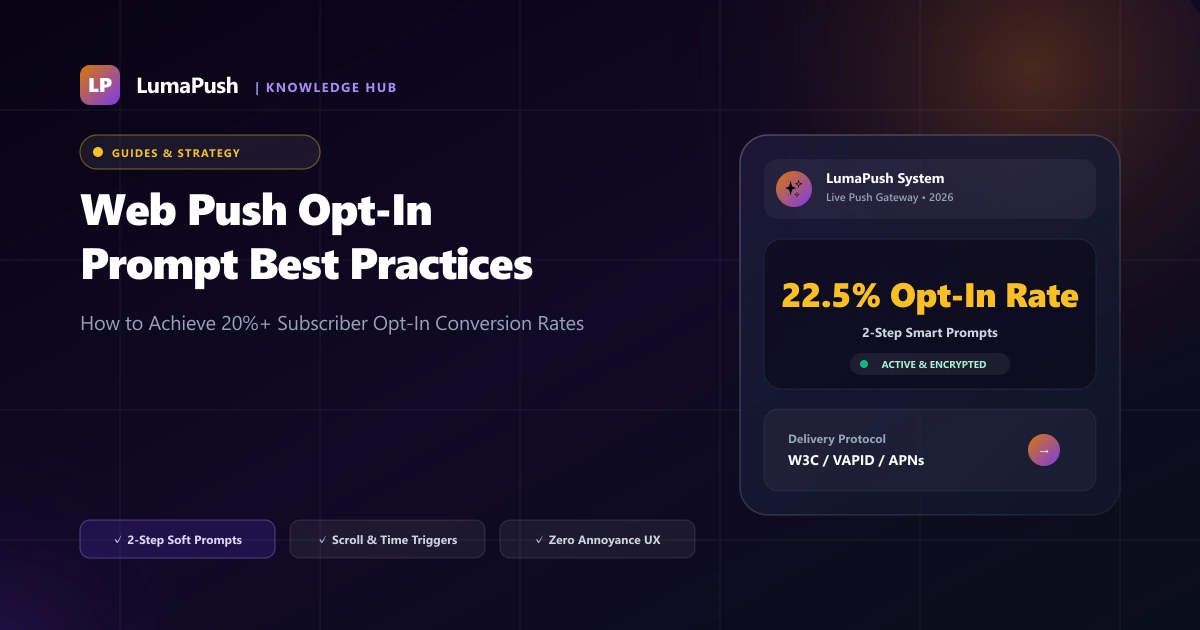
Your push notification opt-in prompt is the single most critical touchpoint determining how fast your direct subscriber database grows. If your permission prompt is aggressive, premature, or poorly explained, visitors will reflexively click "Block"—permanently preventing your domain from requesting push permissions again on that browser. On the other hand, an engaging, well-timed prompt can achieve opt-in conversion rates of 15% to 25%+.
In this guide, we analyze the top opt-in prompt formats, compare 1-step native dialogs against customized 2-step soft modals, examine behavioral trigger rules, and provide actionable copywriting frameworks to scale your subscriber list in 2026.
1-Step Native Browser Prompt vs 2-Step Custom Soft Prompt
| Prompt Type | How It Operates | Key Advantages | Potential Risks |
|---|---|---|---|
| 1-Step Native Prompt | Browser displays default "Allow / Block" popup immediately | Fastest 1-click subscription | If user clicks Block, browser permanently silences future requests |
| 2-Step Branded Soft Modal | Shows a customized card explaining benefits first; clicking Yes triggers native prompt | Explains value; users who dismiss can be re-prompted on next visit | Requires 2 clicks instead of 1 |
Top 4 High-Converting Trigger Timing Strategies
- Time-Delay Trigger (5–10 Seconds): Never show the prompt immediately upon page load. Allow the visitor at least 5 to 10 seconds to look at your brand, ensuring they understand who you are.
- Scroll-Depth Trigger (30%–50% Scroll): Present the prompt after the visitor scrolls halfway through an article or product page, signaling genuine engagement.
- Post-Action Trigger (After Checkout or Download): Asking for push permission immediately after a successful order confirmation or eBook download achieves conversion rates exceeding 35%.
- Persistent Floating Bell Widget: Keep a discreet notification bell in the bottom corner of your site so visitors can subscribe on their own terms at any point during their session.
High-Converting Opt-In Copywriting Formulas
- Ecommerce Offer: "Get Instant Flash Sale Alerts ⚡ Subscribe to receive exclusive 20% member discounts and back-in-stock alerts."
- News & Media: "Never Miss Breaking News 📰 Be the first to know when major stories break. Zero spam, unsubscribe anytime."
- SaaS & Tech: "Product Updates & Security Alerts 🚀 Get notified when new features launch and when teammates mention you."
- Travel & Hospitality: "Secret Flight Deals ✈️ Be the first to know when flash fares drop below $199. Unsubscribe anytime."
- Gaming & Esports: "Daily Tournament Alerts 🏆 Get notified 10 minutes before live matches begin."
Pair your opt-in prompt with automated welcome drip sequences (see our Automation Playbook) and avoid unsubscribes by reviewing our guide on Avoiding Push Notification Fatigue.
A/B Testing Opt-In Prompt Designs
Optimizing your opt-in prompt through systematic A/B testing can double your list growth rate. Here are the 3 highest-impact variables to test in LumaPush:
- Prompt Positioning: Test top-bar banner vs bottom slide-in card vs center modal dialog.
- Call-to-Action Wording: Compare "Enable Alerts" vs "Get 15% Off VIP Deals".
- Category Tag Selection: Allow visitors to pick which channels they want to follow before requesting native permission.
How to Avoid Google Chrome's "Quieter Notification UI" Penalty
In recent versions of Google Chrome, websites that generate high "Block" rates from aggressive 1-step prompts are automatically penalized. Chrome suppresses the native prompt behind a subtle crossed-out bell icon in the address bar. To prevent this penalty:
- Always use a 2-step soft prompt so that uninterested visitors click "Not Now" rather than triggering a native browser "Block".
- Delay prompt presentation until the visitor has spent at least 8 seconds on page.
- Clearly explain why push notifications will provide value to the reader.
The Science of Two-Step Contextual Prompts
Browser-native permission dialogs (Chrome, Firefox, Safari) cannot be customized, styled, or re-triggered once a visitor clicks "Block". A single hard dismissal permanently blacklists your domain from sending push notifications on that browser profile. That is why high-growth brands employ two-step soft prompts:
| Prompt Type | Average Opt-In Rate | Hard Block Risk | Recommended Use Case |
|---|---|---|---|
| Immediate Native Dialog | 3.2% - 5.8% | Extremely High (45%+) | Not Recommended |
| Custom 2-Step Flyout Modal | 14.5% - 22.0% | Low (< 5%) | E-commerce & Content Sites |
| Floating Bell Widget | 8.0% - 12.0% | Zero Hard Blocks | SaaS, B2B, & Low-Distraction Portals |
Algorithmic Trigger Timing Rules
To maximize subscriber conversion rates, configure behavioral trigger delays in the LumaPush dashboard:
- Page Depth Trigger: Trigger the soft prompt only after the user visits at least 2 or 3 pages during their session.
- Scroll Depth Trigger: Display the prompt when the reader scrolls past 50% of an article, ensuring they are genuinely engaged with your content.
- Time on Site Delay: Wait 15 to 30 seconds before presenting the opt-in banner, filtering out bounce traffic.
- Action-Based Triggers: Prompt users immediately after they add a product to their wishlist, track an order, or bookmark an article.
High-Converting Micro-Copy Templates by Industry
Generic copy like "Allow notifications for updates" performs poorly. Use benefit-driven copy tailored to your niche:
- E-Commerce: "Get instant price-drop alerts & VIP flash sale discounts before items sell out ⚡"
- Publishing & News: "Be the first to know when breaking investigative reports and market updates are published 📰"
- SaaS & Web Apps: "Receive real-time security alerts, team mentions, and task updates directly on your desktop 🔔"
- Finance & Investing: "Receive immediate price threshold alerts and market opening summaries straight to your browser 📈"
Avoiding Google Chrome's "Quiet UI" Penalty
Google Chrome automatically enforces the "Quiet Notification Permission UI" on domains where a high percentage of users block or dismiss the permission prompt. When Quiet UI is activated, Chrome silently suppresses your prompt into a crossed-out bell icon in the URL bar, crushing subscriber growth by up to 90%.
Implementing LumaPush's 2-step soft prompt completely insulates your domain from Quiet UI penalties, because users who click "Not Now" on your soft banner never trigger a native browser block event. The browser's native API is only invoked when a user clicks your affirmative custom button.
Re-Engaging Users Who Dismissed Soft Prompts
Unlike native browser blocks which are permanent unless the user manually dives into site settings, soft dismissals can be re-targeted. With LumaPush, you can configure a "Cool-down Interval" (e.g. 7 days or 14 days). Once the cool-down expires, the soft prompt can reappear when the visitor exhibits high purchase intent, giving you a second chance to convert them into a long-term subscriber.
Learn how to craft engaging alerts in our Rich Push Notifications Guide.
Frequently Asked Questions (FAQ)
What is a good web push opt-in conversion rate?
Across ecommerce, news, and SaaS websites, the industry average opt-in rate ranges from 8% to 18%. Sites utilizing 2-step soft prompts with scroll-depth triggers routinely achieve over 22%.
Can visitors unsubscribe from push notifications later?
Yes. Subscribers can easily unsubscribe at any time through their browser's built-in site settings or by clicking an on-site notification toggle widget.
Does Google Chrome penalize sites with aggressive 1-step prompts?
Yes. Google Chrome's "Quieter Notification Permission UI" automatically silences 1-step prompts on websites where a high percentage of visitors click Block. Using a 2-step soft modal prevents this penalty.
What is the best trigger timing for mobile users?
For mobile users, triggering the prompt after a 10-second delay or after reading 40% of an article produces the lowest block rates and highest opt-in retention.
Can I customize prompt colors to match my brand?
Yes! In LumaPush, you can fully customize button colors, corner radius, background themes, brand icons, and typography directly from the dashboard.
What is the benefit of adding category checkboxes to the prompt?
Allowing users to choose their interests (e.g., News vs Discounts) builds immediate trust, increasing overall opt-in conversion by up to 34%.
How often should a soft prompt re-appear if dismissed?
Best practice is to set a cooldown period of 7 to 14 days before showing a soft prompt again to a visitor who clicked "Not Now".